
Open, edit and plot DWG files right in your browser
A desktop-class CAD workspace for DWG and DXF drawings and 15 3D formats. Layers, layouts, a real command line and PDFs plotted to scale, with your files kept on your own device.
- Free to view and measure
- No account needed
- Chrome, Edge, Firefox, Safari
Opens the files your clients, consultants and suppliers send you
- DWGAutoCAD drawing
- DXFDrawing exchange
- STEPEngineering solid
- IGESSurfaces & solids
- IFCBIM model
- STL3D print mesh
- OBJMesh
- glTFWeb 3D
- 3MF3D print
- FBXScene
- PLYScan
- BREPOpenCascade
- PDFVector, to scale
- SVGVector
The workspace
Everything you do with a drawing, in one tab
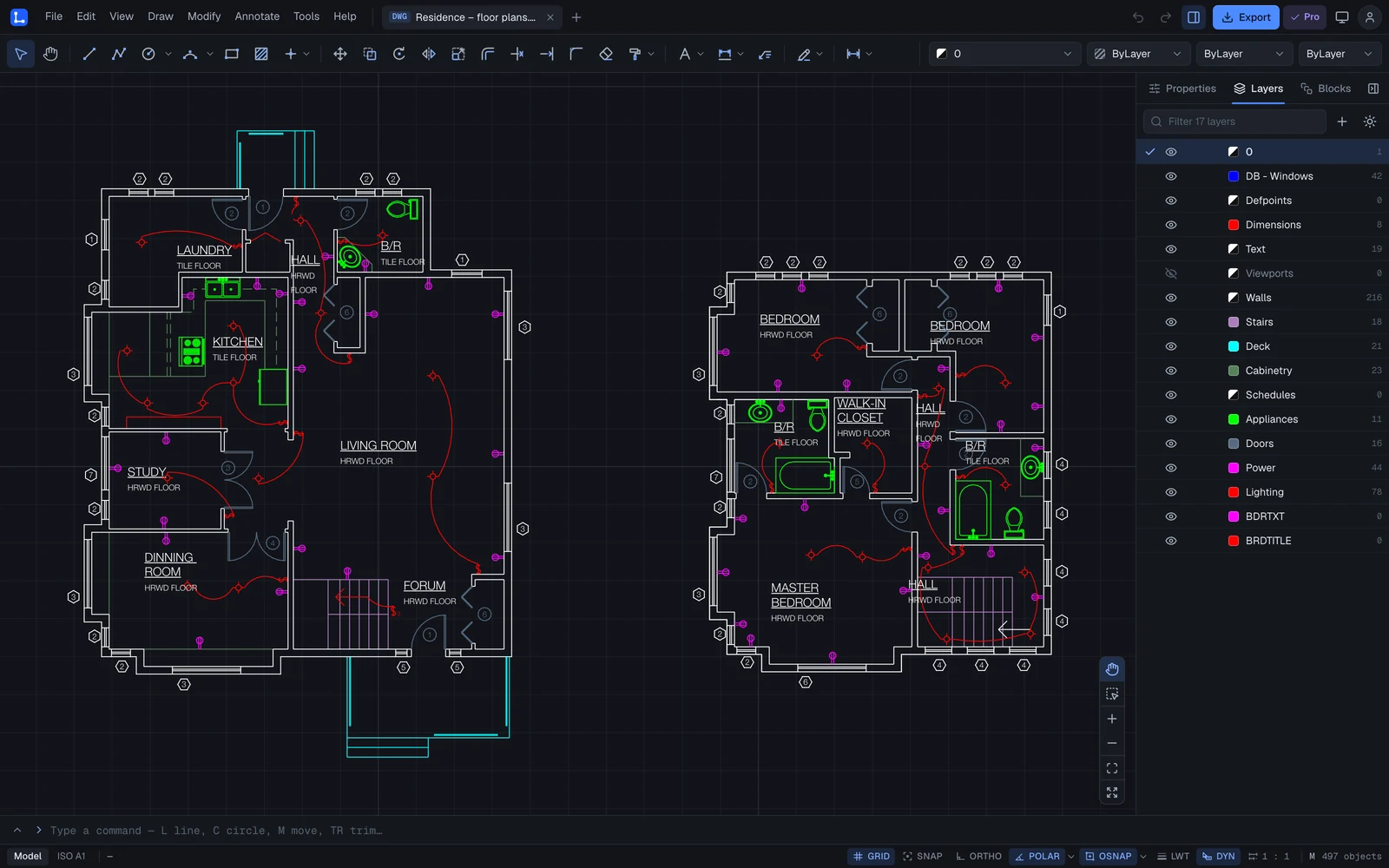
Not a file preview. Layers, blocks, object snaps, a command line and plotting to scale: the tools you expect from desktop CAD.
Draft the way you already work
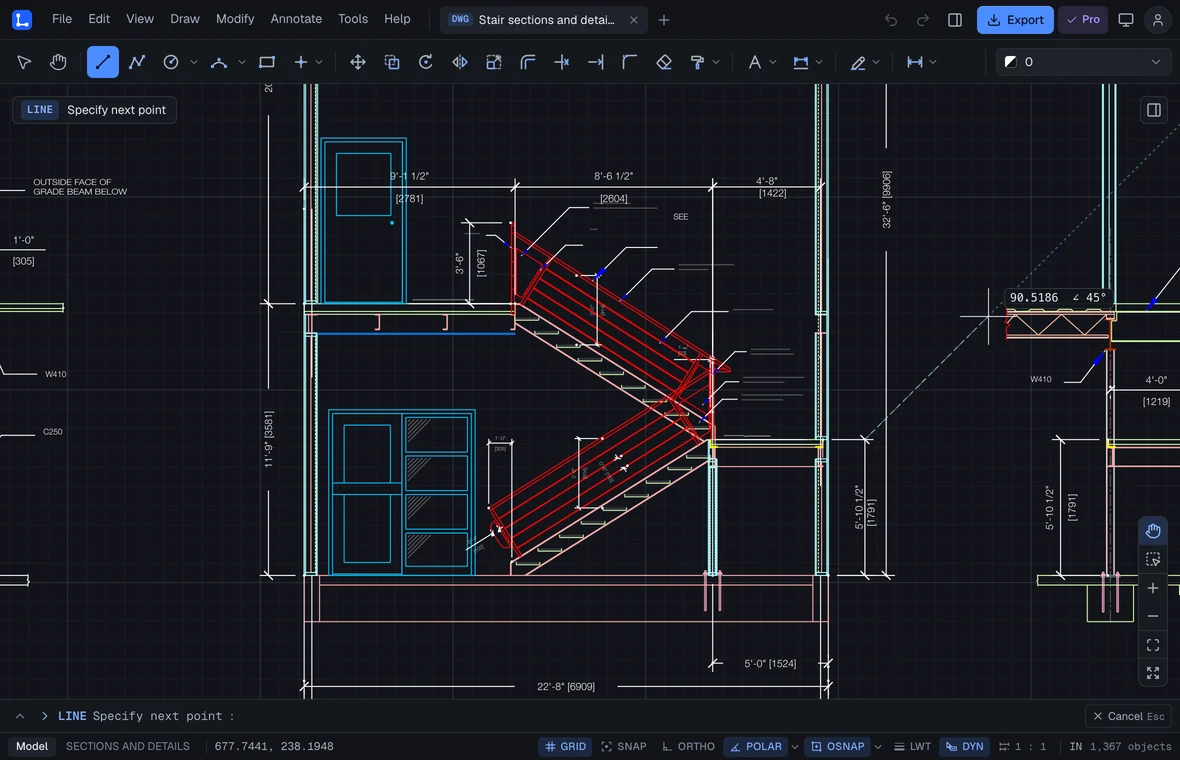
Type L for a line, TR to trim, O to offset. More than 100 commands with the aliases, prompts and options CAD users have in their fingers.
- Object snaps, polar tracking, ortho and grid snap
- Distances and angles typed at the cursor
- Grips for quick edits, every command one undo step
Built for real drawings
Reads what others miss
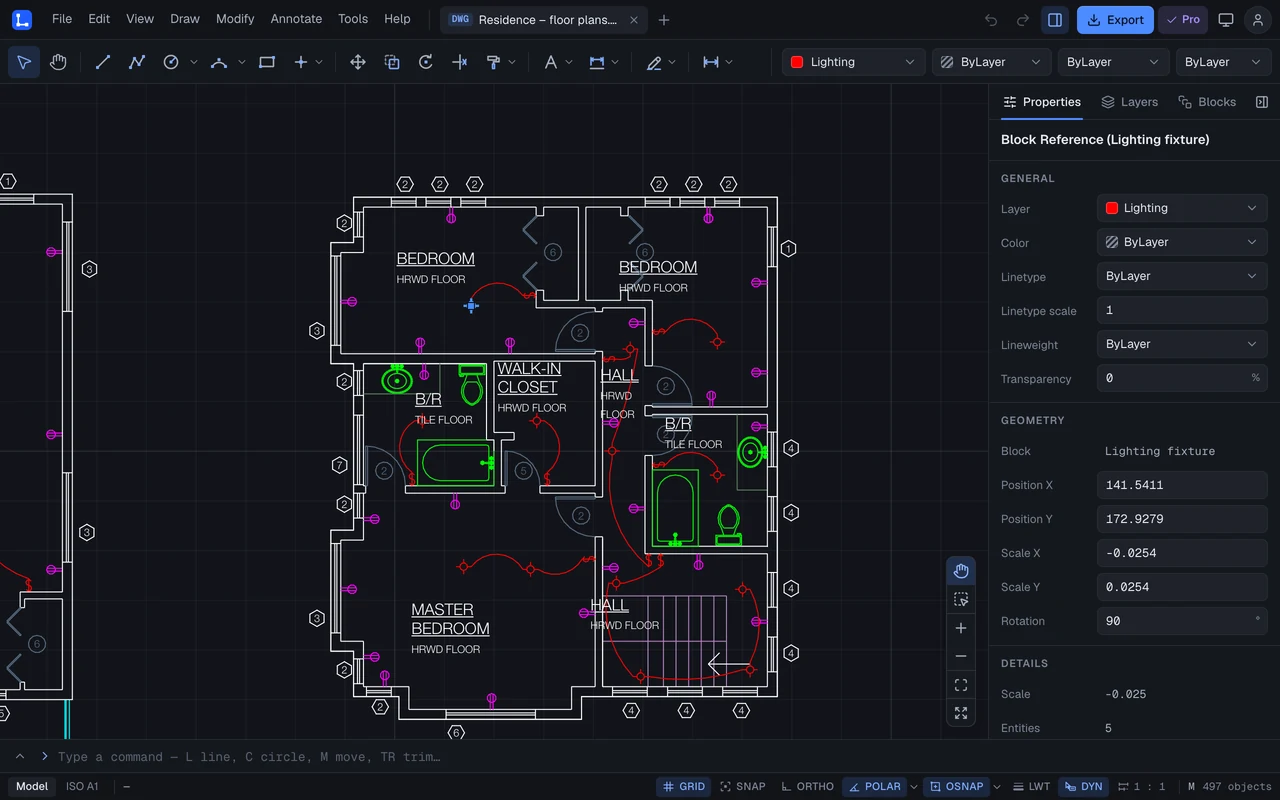
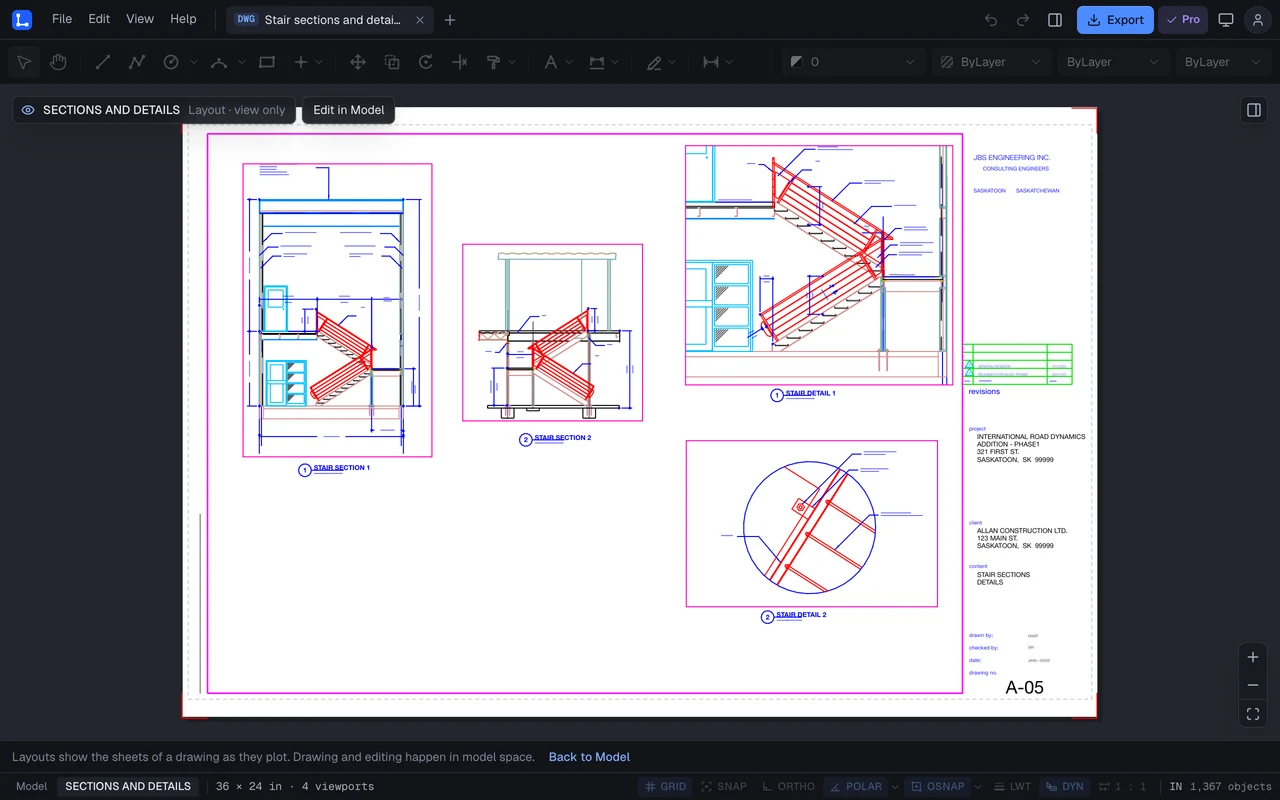
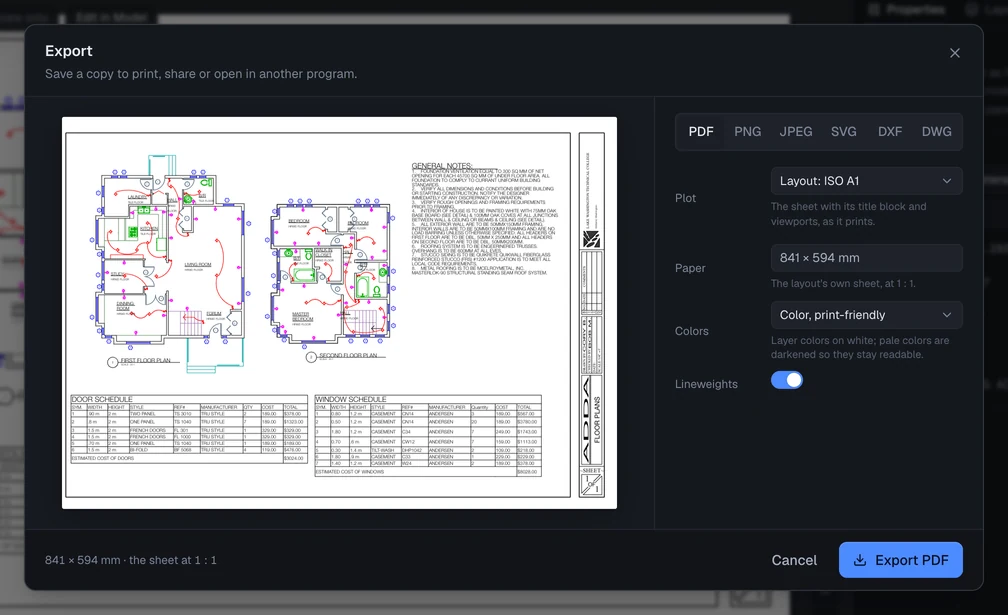
Shown here: a residence with its door and window schedules, and a sheet of stair details, drawn exactly as the file defines them.
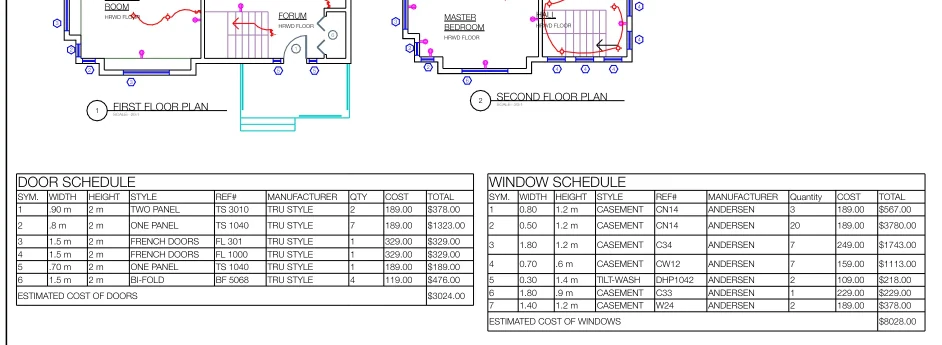
Schedules and tables, cell for cell
Tables, multiline text, title blocks and notes keep their columns, fonts and alignment.
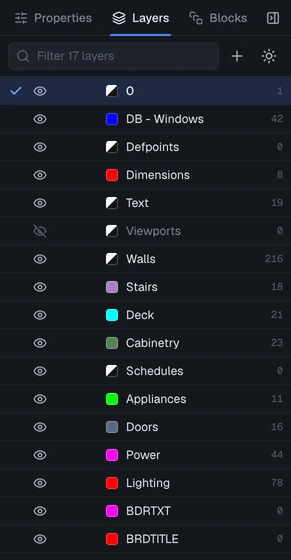
Every layer, as the drafter set it
Color, linetype and object count per layer. Turn them off, freeze or lock them.
100+ commands you already know
Start typing anywhere. Space repeats the last command, Esc cancels.
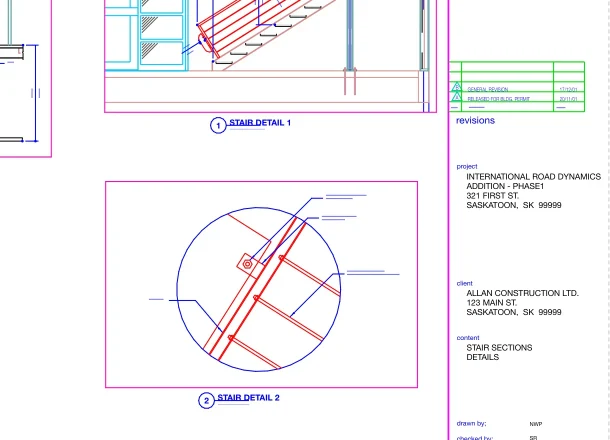
Sheets with their details
Viewports, detail bubbles and revision tables on the paper they were drawn for.
Measured on an Apple M5.
Fast on big files
Drawn on the GPU with WebGL, so panning stays smooth on drawings with hundreds of thousands of objects.
read · drawn · exported
Your drawings never leave your computer
Files are read and drawn by code running in this tab. Client work and drawings under NDA stay on your machine, and big files open without waiting for an upload.
Free tools
One job, one page, no account
View one file, make one PDF, check one scale. Each tool runs entirely in your browser.
Pricing
Free to view. Pro to draft.
Viewing and measuring never cost anything. Upgrade when you need the full toolset.
Free
$0forever, no account
- Open DWG, DXF and 15 3D formats
- Layers, blocks and object properties
- Layouts: every sheet with its viewports
- Measure distances, lengths and coordinates; set the scale
- Basic sketching and red-line markup
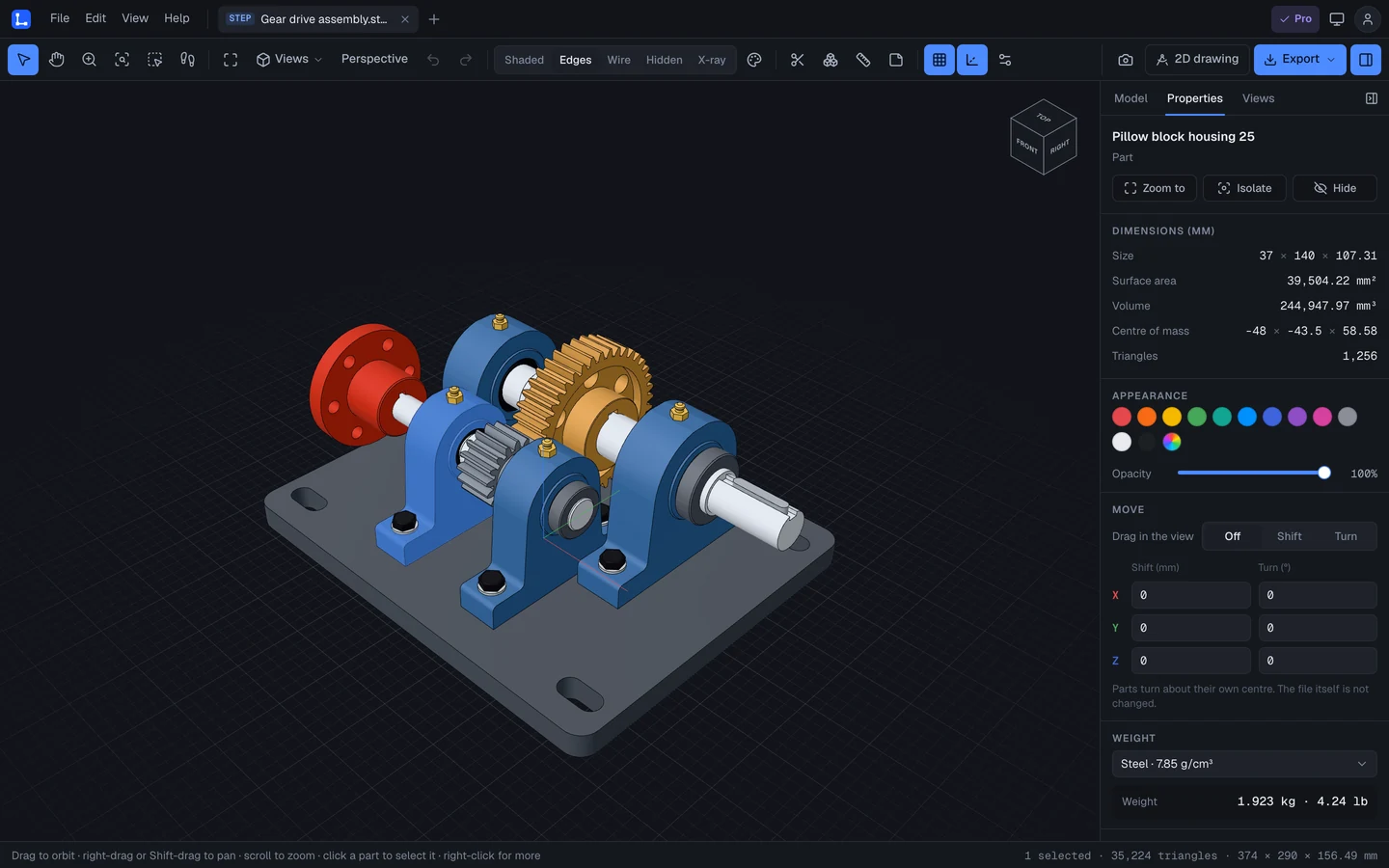
- 3D: parts tree, hide and isolate, colours, size, area and volume, walk-through
- 3 file conversions a day
- Files stay on your device
Pro
Full toolset$7per month, billed yearly
- Everything in Free
- Full drafting toolset: trim, extend, offset, fillet, chamfer, array, hatch
- Text, dimensions and leaders
- Save your drawings as DWG or DXF
- Unlimited PDF and SVG export to scale, on any paper size
- Unlimited and batch file conversion
- Area and angle measurement, images up to 12,000 px
- 3D sections by plane, box or face, and exploded views by axis and level
- 20 3D measuring tools: distances, angles, diameters, thickness, volume
- 2D drawings with hidden lines, made from 3D models
- 3D weight calculator, notes, moving parts, saved views and model export
or $12 billed monthly
Is Caddux free?
Yes. Opening drawings and 3D models, layers, object properties, measuring distances, basic sketching and PNG export are free, with no account. Pro adds the full drafting toolset, saving drawings, unlimited PDF / SVG export, high-resolution images, and 3D sections, measuring and drawings made from models.
Are my files uploaded to a server?
No. Drawings and models are read and drawn by code running in your browser. They are not sent anywhere, which is why confidential work can be opened safely and why large files open without waiting for an upload.
Which files can I open?
DWG from AutoCAD R13 up to the current 2018 format, DXF in ASCII and binary form, and 3D models as STEP, IGES, BREP, STL, OBJ, PLY, glTF / GLB, 3MF, FBX, Collada, 3DS, AMF, OFF and IFC.
Do I need to install anything?
No. Caddux runs in current versions of Chrome, Edge, Firefox and Safari on Windows, macOS, Linux and ChromeOS. There is nothing to download and no plug-in.
Can I edit a DWG and save it?
Yes. Open a DWG, edit it with the drafting tools and save it as DWG — in the AutoCAD 2000 format, which every later AutoCAD release opens — or as DXF. You can also export to PDF, SVG, PNG or JPEG. Saving is part of Pro.
Does it replace AutoCAD?
Not for everything. Caddux covers viewing, measuring, 2D drafting, annotation and plotting — the work most people do with a drawing most of the time. It has no 3D modeling, external references or sheet sets.

Your next drawing is one drop away
Open the workspace, drop a file and get on with the job. No account, no install, no upload.